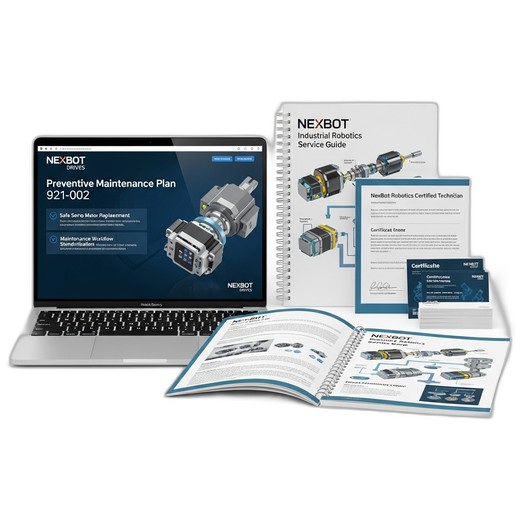
Provides a step-by-step guide to diagnose and resolve error E-4310 (Servo Position Mismatch) after servo motor replacement, following procedures from the NXB-KIT-921-002 training.
Related Products
Tools Required
- Calibrated torque wrench
- Metric hex key set
- NexBot Controller Teach Pendant
- Lockout/Tagout (LOTO) kit
Article
This article provides troubleshooting steps for resolving the 'E-4310: Servo Position Mismatch' fault. This error typically occurs after a servo motor has been replaced on a NexBot industrial robot, such as the R-50, R-100, C-10, or S-5 series. The procedures outlined below are a review of the core concepts taught in the NexBot Drives 921-002 Preventive Maintenance Plan (NXB-KIT-921-002).
Symptom
Upon powering on the robot controller after a servo motor replacement, the system faults and displays error code E-4310 on the teach pendant. The affected axis may be disabled, and the robot will not perform motion commands. The error indicates a discrepancy between the expected encoder position and the actual reported position, exceeding the configured tolerance.
Cause
This fault is almost always related to the replacement procedure. The most common causes include:
- Incorrect Encoder Alignment: The new motor's encoder was not correctly aligned or 'mastered' to the robot arm's witness marks or zero position.
- Loose Connections: The encoder or motor power cables are not fully seated or secured at the motor or controller end.
- Improper Mechanical Installation: Mounting bolts are not torqued to specification, causing a slight physical misalignment of the motor.
- Failure to Clear Previous Faults: Residual fault data in the controller from the previous motor failure can conflict with the new hardware.
- Incorrect Homing or Calibration: The post-installation calibration procedure was skipped or performed incorrectly.
Resolution Steps
WARNING: Ensure all safety procedures, including Lockout/Tagout (LOTO), are strictly followed before performing any physical inspection or maintenance. Only personnel trained in the procedures covered by the NXB-KIT-921-002 plan should perform this work.
Step 1: Perform Full Power Down and LOTO
- Power down the robot controller completely.
- Apply appropriate LOTO devices to the main power disconnect.
- Verify that all stored energy has dissipated before proceeding.
Step 2: Verify Physical Installation
- Visually inspect the newly installed servo motor. Ensure it is seated correctly against its mounting flange.
- Using a calibrated torque wrench, verify the torque on all motor mounting bolts. For example, M8 mounting bolts on an R-100 J3 axis motor typically require a torque of 45 Nm. Refer to the specific maintenance manual for your robot model for exact values.
- Check that all cable connectors (power and encoder) are securely latched. Gently pull on the connectors to ensure they are fully seated.
Step 3: Inspect Encoder Alignment and Witness Marks
- Carefully move the robot arm by hand (if brakes are released) or as per the manual procedure to its zero-degree position for the affected axis.
- Check the physical witness marks on the robot casting and the motor flange. They must be perfectly aligned as specified in the robot's maintenance manual. If they are misaligned, the motor must be physically re-aligned, which may require loosening the mounting bolts.
Step 4: Power On and Clear Faults
- Remove LOTO devices and power on the robot controller.
- Navigate to the fault history screen on the teach pendant.
- Acknowledge and clear the active E-4310 fault.
- Clear the entire fault history to ensure no legacy data conflicts.
Step 5: Perform Axis Mastering/Calibration
- If the fault persists after a reboot, the axis requires re-mastering (also known as zeroing or calibration).
- Follow the specific mastering procedure for your robot model as detailed in the service manual and covered in the NexBot Drives 921-002 Preventive Maintenance Plan.
- This procedure typically involves aligning the axis to its physical witness marks and then recording the new encoder offset value in the controller software.
Step 6: Verification
- After successful calibration, restart the controller.
- In T1 (test) mode, slowly jog the affected axis through its full range of motion.
- Listen for unusual noises and watch for any binding or jerky movement.
- Execute a simple motion program to verify that the robot's Tool Center Point (TCP) moves to its programmed positions accurately.
Prevention
To prevent recurrence of the E-4310 fault, maintenance teams should standardize their workflow based on the principles of the NexBot Drives 921-002 Preventive Maintenance Plan. Key preventive measures include:
- Always use a calibrated torque wrench for all mechanical fasteners.
- Double-check the alignment of witness marks before and after tightening mounting bolts.
- Perform a 'tug test' on all cable connections to confirm they are secure.
- Always perform the full post-service verification, including axis mastering and motion validation, before returning a robot to production service.